
Hotels, cafés, coworking, PGs and events,
on one login.
EkamOS runs the front desk, the café counter and the kitchen, plus coworking desks, PG beds and banquet bookings. GST bills, Form C tracking and night audit are built in. Every location you own, in one place.
A short walkthrough on your kind of business.
- Hotels & stays
- Cafés & restaurants
- Coworking
- PGs & co-living
- Event venues
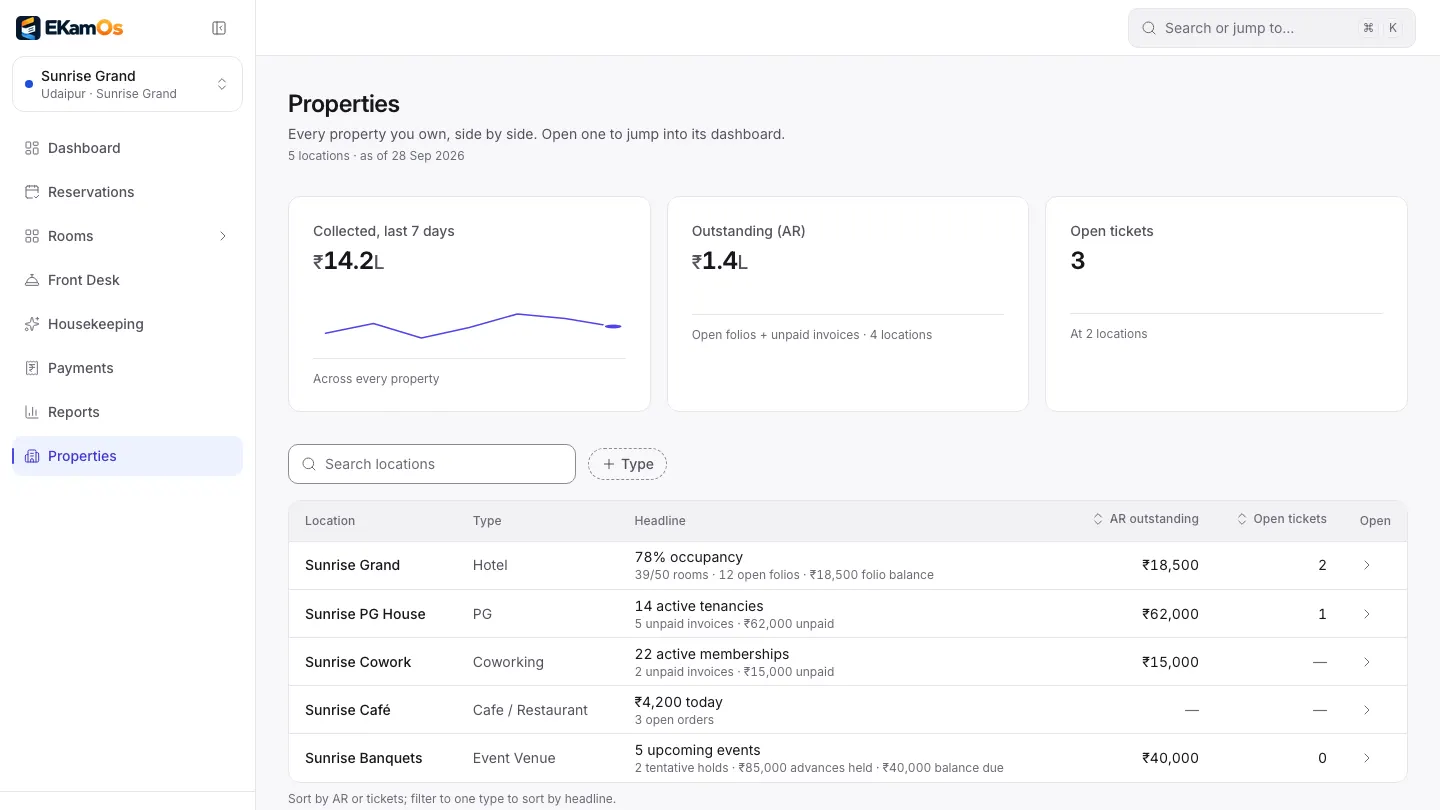
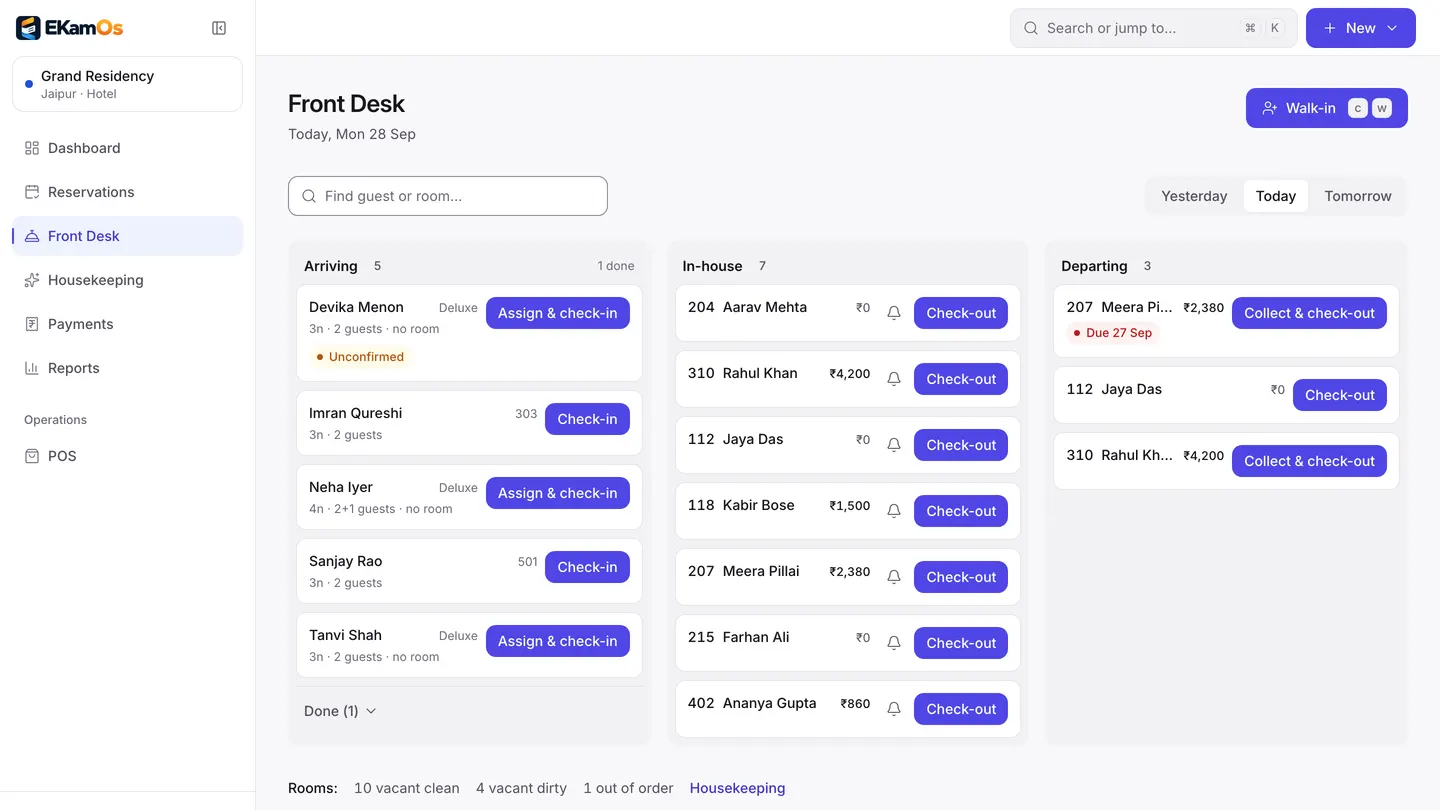
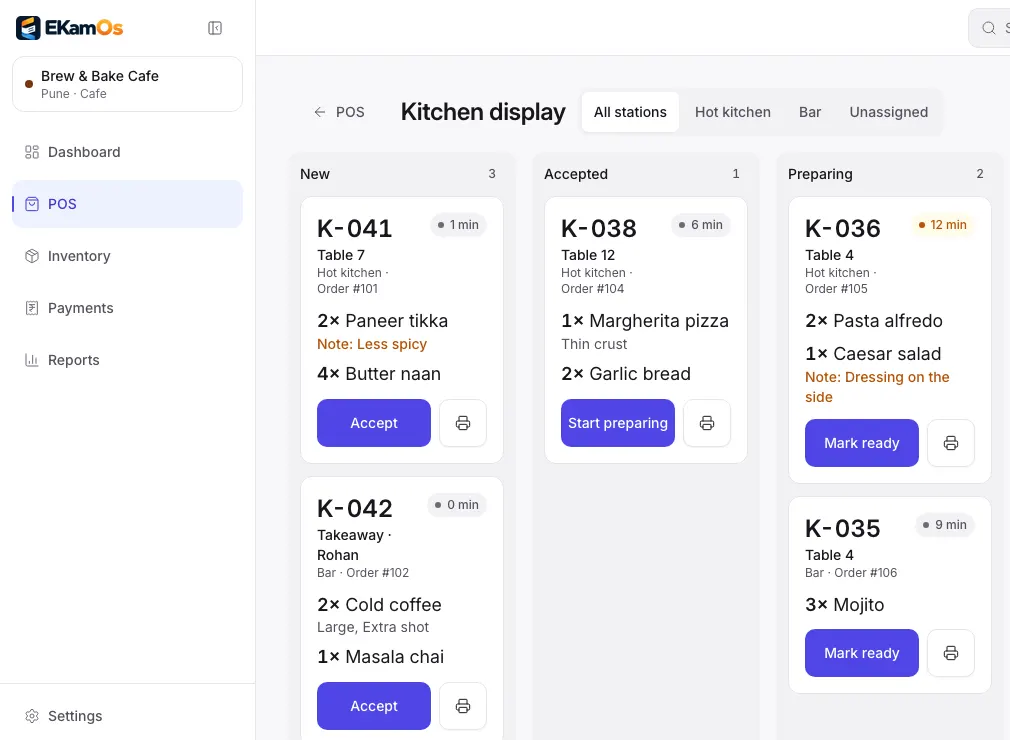
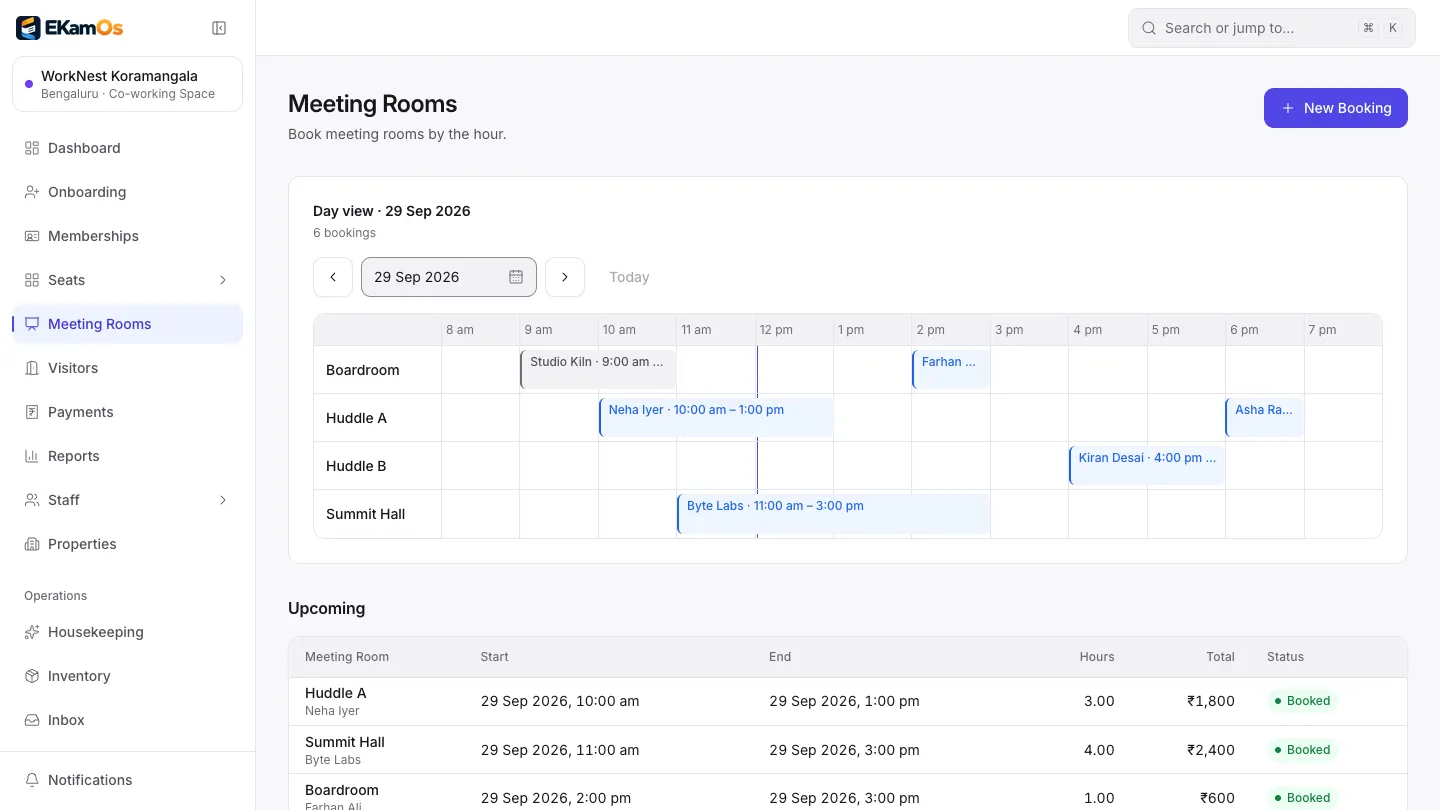
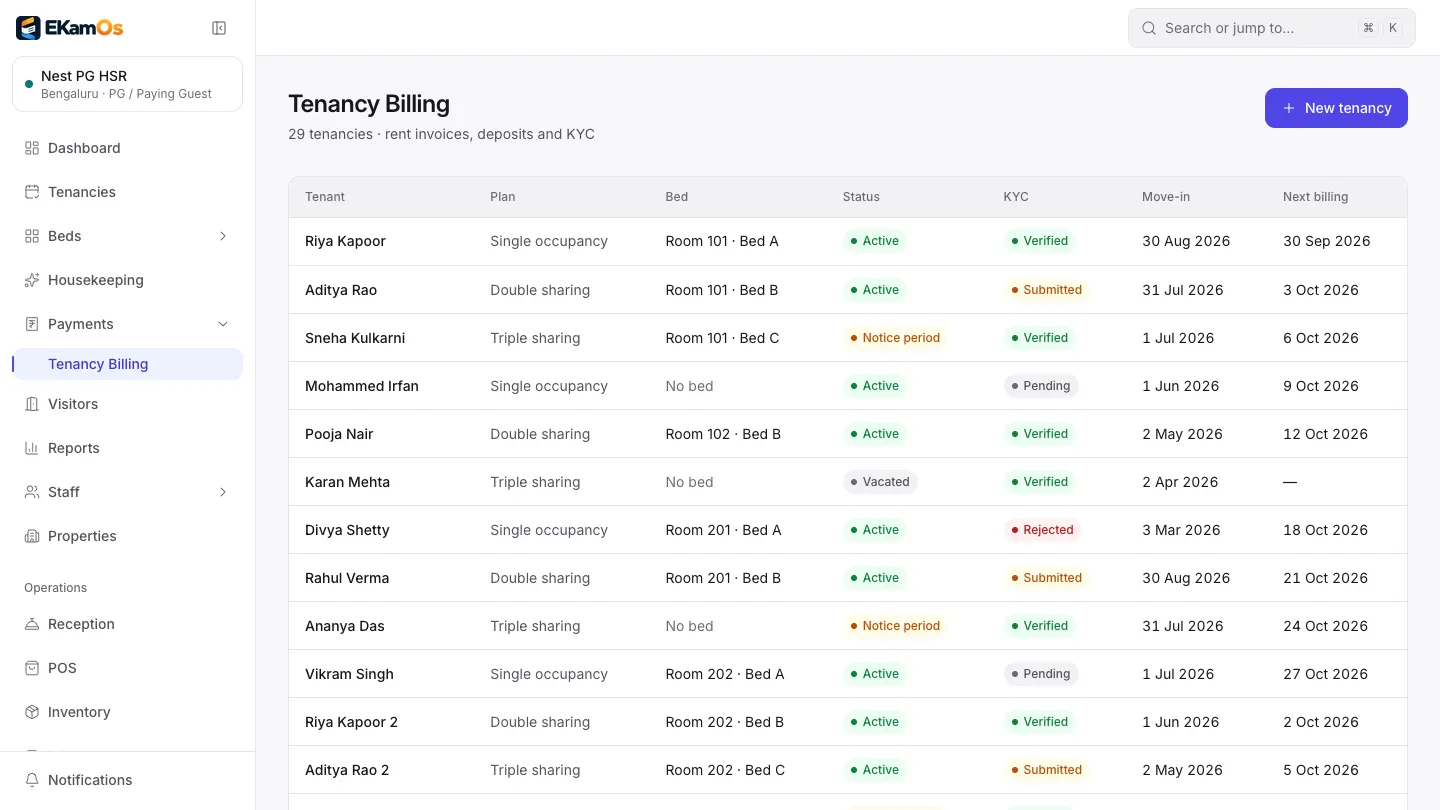
Properties page. Sample data.
The short answer
EkamOS is web-based hotel property management (PMS) and restaurant point of sale (POS) software for India, made by Infoveritas Technologies Pvt Ltd. It also runs coworking spaces, PGs and co-living, and event venues. It covers reservations and the front desk, a café POS with kitchen tickets and a kitchen display, memberships, tenancies and deposits, event bookings, inventory, GST invoicing and reports, with every location under one login.
Products
One platform, five ways to run a business
Each location gets only the screens its business needs. A café never sees room screens; a PG never sees the kitchen display.
Hotel PMS
Check guests in, keep the folio straight and close the day without a register book.
- Reservations, a front desk board and guest folios that settle into a GST invoice
- Housekeeping status, a rate calendar with seasonal rules, and night audit with a PDF report
- Guest register with every occupant, and a 24-hour Form C clock for foreign guests
- A direct booking page for your own website
Restaurant POS
Take the order, fire the KOT and print the GST bill, even when the Wi-Fi drops.
- Touch-first POS for dine-in, takeaway and delivery, with a live table map
- Numbered KOTs to kitchen stations, and a kitchen display from New to Ready
- GST bills with your GSTIN and FSSAI number on 58 or 80 mm thermal paper
- Day close with X and Z reports, recipes and food cost
Coworking
Members, desks and meeting rooms, with invoices that go out on time.
- Memberships, seat plans, and member onboarding with company documents
- Meeting rooms by the hour, with credits that each plan includes
- Visitor kiosk by link or QR code
- Optional automatic monthly invoices with GST
PG & Co-living
Every bed, every rent invoice and every deposit, without the notebook.
- Tenancies by bed, with move-in and next billing dates
- Rent invoices by hand or on schedule
- Deposits, deductions and refunds that only the owner can approve
- Tenant documents and police verification records on each tenancy
Events
Hold the date, take the advance and bill the balance, with no surprises on the final bill.
- Halls, lawns and per-guest packages
- Bookings from tentative hold to confirmed, with advance and balance
- Booking amounts lock once the GST invoice is issued
- Enquiries tracked as leads and linked to the booking

Running a mix, like rooms upstairs and a café downstairs? Add each as a location under one login. Tell us what you run
Why EkamOS
Built for how Indian owners actually run things
One login, every business
A hotel, a café and a PG across town: switch between them from the sidebar, or see money collected and owed for all of them side by side.
India’s paperwork, built in
GST invoices with the CGST, SGST and IGST split, Form C deadlines, a guest register, police verification records and a Tally export for your accountant.
You stay in control of the money
Rates, menu prices, deposit refunds and big discounts are owner-only or need a manager PIN. Every void, discount and refund is in a money edit history.
Works on the phone in your pocket
Every screen works at phone width. The POS and kitchen display install on a tablet, and the café keeps taking orders when the internet drops.
Priced by locations, not by business type
A plan covers a number of locations in any mix. A café counts the same as a hotel, and you get a quote for exactly what you run.
See plansSupport inside the app
Raise a support ticket inside the app and follow it there. During onboarding, our team sets up your locations with you.
Solutions
Start from the problem you want gone
- Cafés
Stop leaks at the counter
Discount limits with manager-PIN approval, refunds as credit notes, reprints marked DUPLICATE, and a drawer count at day close.
- Hotels
- Cafés
Close the day in minutes, not hours
Night audit posts room charges and saves the day’s report. The café closes with a denomination count and a Z report.
- PGs
- Coworking
Get rent and memberships paid on time
Invoices raised on schedule if you switch it on, and the owner sees what is outstanding at every location.
- Hotels
- PGs
Be ready when someone asks for the records
A guest register with every occupant, Form C deadlines, tenant documents and police verification status, all exportable.
- Cafés
Know what each plate costs
Recipes draw stock as dishes are served, and the food cost report shows cost against price by item.
- Hotels
- Coworking
Take bookings without a commission
A direct booking page for your rooms and a public page for meeting rooms, served by EkamOS.
- Owners
See every location from one screen
Money collected, money outstanding and open issues for each location, side by side, with PDF reports.
Watch · 0:58
One login for every business you run
A one-minute Short on running a hotel, café, PG and coworking space from one EkamOS login.
- Hotels
- Cafés
- PGs
- Coworking
- Events
 EkamOS on YouTube@ekamos2026 · Hindi & EnglishSubscribe
Going live
From your spreadsheet to your first bill, step by step
You do not start from a blank screen, and you are not left alone with it.
Step 1: Import what you already have
Download our template, paste in your rooms, rate plans, menu, members or tenants, and upload it. You see a preview of every row before anything is saved, and a file with a bad row saves nothing.
Step 2: We set up your locations with you
Our team creates your organisation and locations, picks each one’s business type and switches on the modules it needs. You check your GSTIN and invoice details.
Step 3: Train the team
Invite each staff member by email; they set their own password. Give each person access to the locations and actions their role needs.
Step 4: Go live
Run one test transaction end to end, then open for real. A go-live checklist in the app ticks itself off from what is actually set up.
Opening balances can be imported too, so outstanding rent or member dues carry over.
Straight answers
No logo wall. Here is what you can check instead.
EkamOS is new, so you will not find made-up customer counts or testimonials here. Every screenshot uses sample data. On a demo we show you the product doing your work, and we tell you plainly what is not ready yet. If EkamOS works for you and you are happy to say so, your words can go here, with your approval.
Read how we protect your dataWhat you get on day one
- GST invoices numbered in sequence per financial year, with credit notes
- Bills that carry your GSTIN, and your FSSAI number for cafés
- Form C tracking and a guest register you can export as CSV or PDF
- Police verification records for every PG tenant
- Tally export of issued and paid invoices
- Aadhaar numbers stored masked, and an access log of who opened personal data
- Two-factor sign-in and per-location staff access
- CSV import for your existing rooms, menu, members and tenants
What EkamOS covers
- kinds of business
- 5
- business types
- 16
- login for every location
- 1
- Form C deadline tracked per foreign guest
- 24 h
Questions
Before you book a demo
What owners ask first.
What is EkamOS?
EkamOS is operations software for Indian hospitality businesses: hotels and other stays, cafés and restaurants, coworking spaces, PGs and co-living, and event venues. It runs the front desk, the point of sale and kitchen, memberships and tenancies, event bookings, inventory, GST invoices and reports, with every location you own under one login.
Which businesses can use EkamOS?
Sixteen business types in five groups: hotel, boutique hotel, hostel, resort, vacation rental and serviced apartment; café, restaurant, cloud kitchen and food court; coworking space and business centre; PG, student hostel and co-living space; and event and banquet venue.
Can I run a hotel and a café, or a PG, on one account?
Yes. Each business is a location under one login, with its own modules, data and staff access. You switch between locations from the top of the sidebar, and the Properties page shows them side by side.
Does EkamOS work on a phone?
Yes. EkamOS runs in a web browser, and every screen is designed to work at phone width, with light and dark themes. The café point of sale and kitchen display can also be installed on a tablet like an app. There is no app-store app for the whole of EkamOS yet.
Does EkamOS make GST invoices?
Yes. Invoices show the CGST, SGST and IGST split, are numbered in sequence per financial year and are corrected with credit notes. You can pick a Classic, Modern or Compact layout, add your logo, UPI ID and bank details, and export issued and paid invoices to Tally as XML sales vouchers (tax in one GST ledger; credit notes are not exported).
What happens if the internet drops?
In the café, staff can keep opening orders, adding items and sending them to the kitchen; the orders are sent to the server once each when the connection is back, and payments wait until then. The rest of EkamOS needs a connection.
Does EkamOS connect to Booking.com, MakeMyTrip, Swiggy or Zomato?
Not today. EkamOS does not connect to Booking.com, MakeMyTrip, Goibibo, Swiggy or Zomato yet: these platforms open their connections only to approved technology partners, and those connections are switched on once EkamOS has that access. Tally export is available today. WhatsApp messages are set up per EkamOS deployment, on request, from a business number we set up, not your own account. Razorpay online payments are not switched on per business yet: they are built but run on one merchant account per EkamOS setup today, and connecting your own account is planned. Zoho Books and Pine Labs connections are not finished yet; they are built and still being worked on.
How do I get started?
Book a free demo and tell us what you run and how many locations you have. Accounts are not self-serve: our team sets up your organisation and locations with you, picks each location’s business type and switches on the modules it needs. You can import your rooms, rate plans, menu, members and tenants from a spreadsheet, and an in-app checklist walks you to your first live transaction.
Can I bring my existing data?
Yes. Rooms and room types, rate plans, menus, coworking members, PG tenants and opening balances can be imported from a CSV template. You see a preview of every row before saving, and a file with an error saves nothing, so a half-imported list never happens.
Guides
Guides for running a hotel, café or PG
Plain answers to the questions owners and staff ask about running the desk, the kitchen, the till and the rent book, and checklists for choosing the software. Each guide explains the practice first, links the sources it relies on, and then says what EkamOS does about it.
How to choose a hotel PMS in India: a checklist
A checklist for choosing hotel management software in India: the front desk, the registers, GST invoices, rates, night audit and what to ask on a demo.
How to choose café and restaurant billing software in India
What to check before buying café or restaurant billing software in India: GST bills, KOT, printers, day close and what happens when the Wi-Fi drops.
How to manage a PG: rent, deposits and tenant records
The four records a paying guest (PG) needs, a monthly rent run, a move-out without an argument, and when a notebook stops being enough.
What is a KOT in a restaurant?
What a kitchen order ticket is, how it moves from table to kitchen to bill, special KOTs, and printed tickets against a kitchen display.

Book a free demo
Tell us what you run. We will show you EkamOS working on your kind of business, and be straight about what is not ready yet.
- A walkthrough on your own business type, not a generic deck
- A clear answer on what is ready and what is not
- Help setting up your locations if you go ahead
Tell us what you run
- Hotels & stays
- Cafés & restaurants
- Coworking
- PGs & co-living
- Event venues
Prefer email? sales@ekamos.in